 SWawi easy
Not a web portal.
A real Mac app.
Invoicing for tradespeople and freelancers. Starts instantly, saves locally, knows dark mode and keyboard shortcuts – and writes XRechnung, ZUGFeRD and the Swiss QR-bill.
 €34.99 one-time · 10 invoices free
Built by Marcel Altherr in Eschweiler, Germany. No corporation, no investors, no sales team – write in, and the person who built the app is the one who answers.

Everything you need – and nothing that gets in your way
Enter your company details, write your first invoice, done. No seven-step setup assistant, no manual.
XRechnung & ZUGFeRD
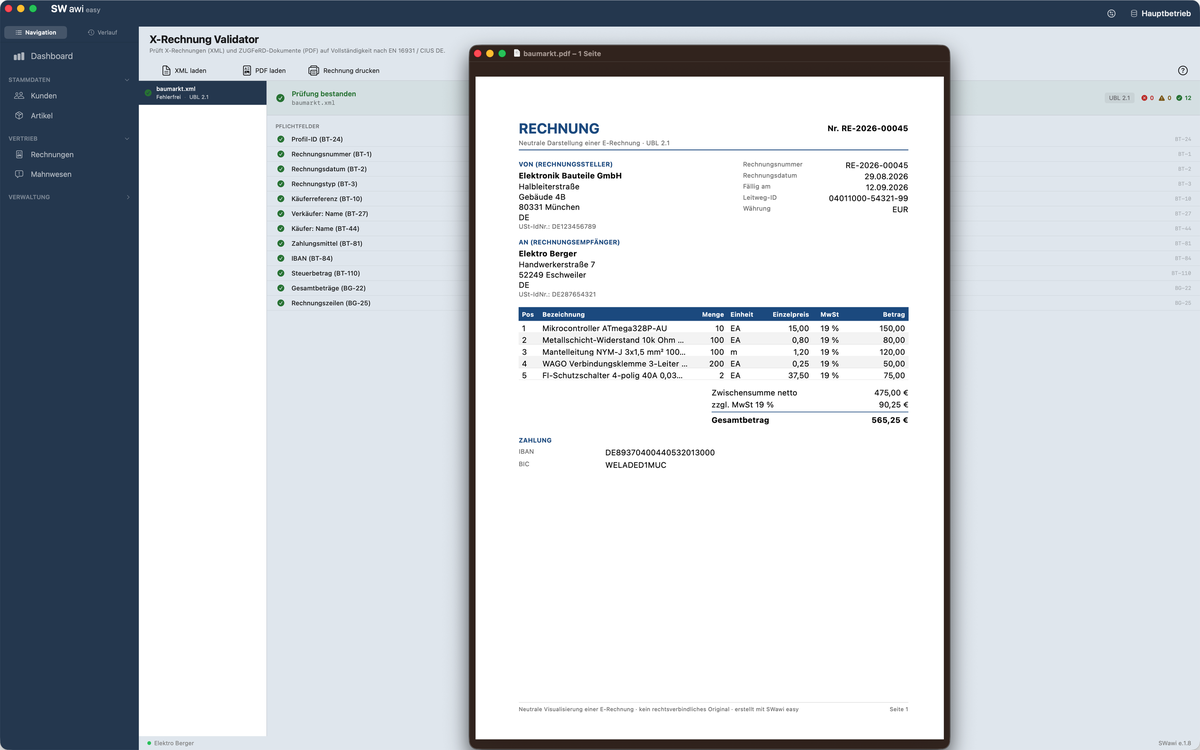
Electronic invoices to EN 16931. XML export, ZUGFeRD PDFs and a validator for incoming invoices – all included.
One-time purchase, no subscription
Pay once, use it for good. Updates are free. The app runs locally and needs no server – a subscription would not be honest.
Audit-proof records
Once issued, invoices are stored unalterably and cannot be deleted. A daily backup runs alongside, automatically.
Documents to your taste
Three designs, a free accent colour, every installed font, your own logo and letterhead. Two letterheads as well, for a business with two arms.
Dashboard & dunning
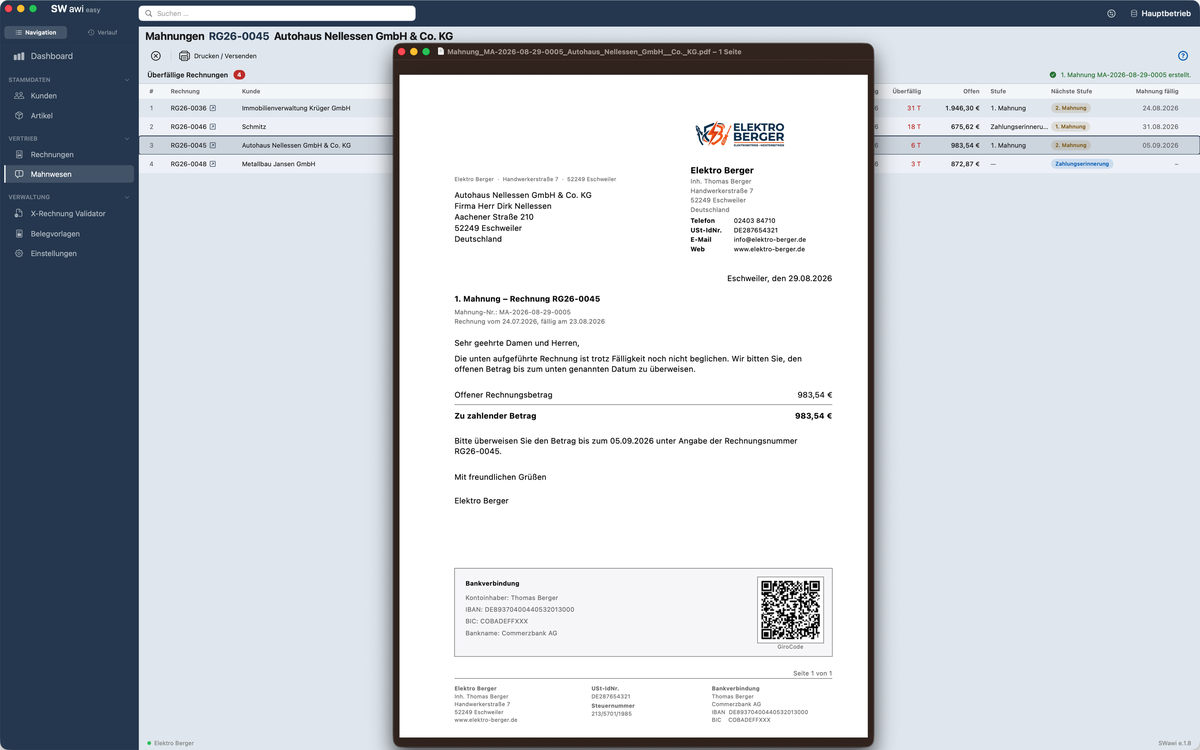
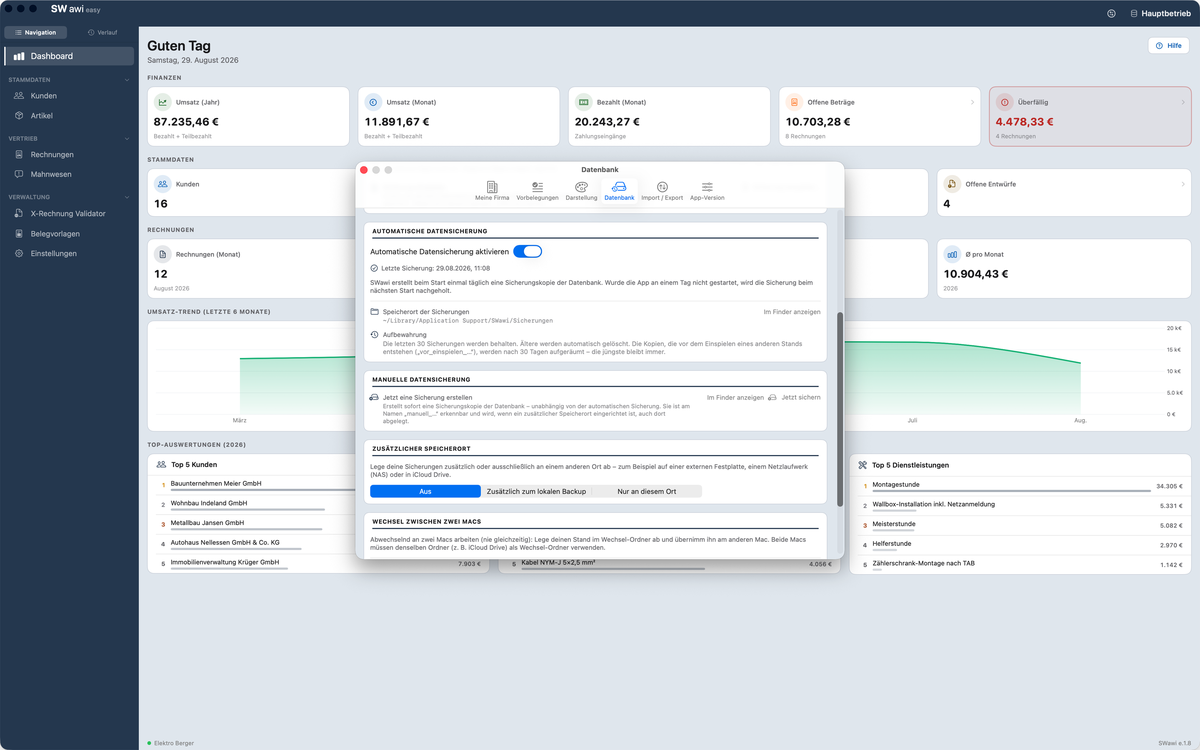
Revenue, outstanding amounts, overdue invoices and top customers at a glance. Four dunning levels, each with its own fee, deadline and text.
Made for Austria too
ebInterface 6.1 for invoices to federal bodies, plus the Austrian rates including the 19 % for Jungholz and Mittelberg.
And for Switzerland
QR-bills to the SIX standard with payment part and receipt, billing in CHF, Swiss VAT rates and the exemption under Art. 10 MWSTG.
Small-business rule § 19 UStG
One switch, and the required note is printed automatically. For Austria under § 6 UStG accordingly.
You still write an invoice in three minutes. Every feature waits until the first time you go looking for it – and none of them costs extra.
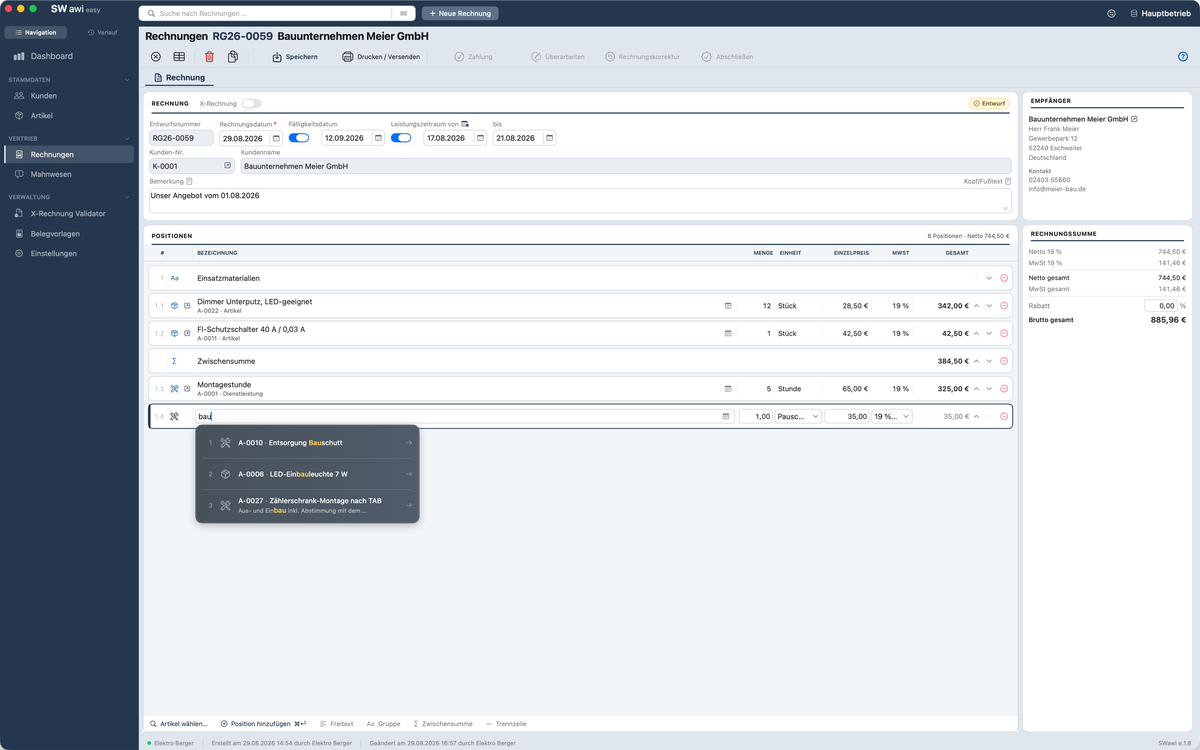
- Free-text line items without touching the product list
- Product picker with a search field, several at once
- A suggestion list as you type a line description
- Move line items with the mouse
- Line item groups with sub-numbering (1.1, 1.2 …)
- Subtotal per section
- A note per line item, printed along with it
- A large window for long line texts
- Service date per line item, optionally as a period
- Several VAT rates within one invoice
- Overall discount on the invoice total
- Negative amounts in the product list and on line items
- The due date from the customer’s payment terms
- Revise after printing, or issue a new revision
- Over 20 units of measure, from piece to year
- Keyboard-driven entry with shortcuts
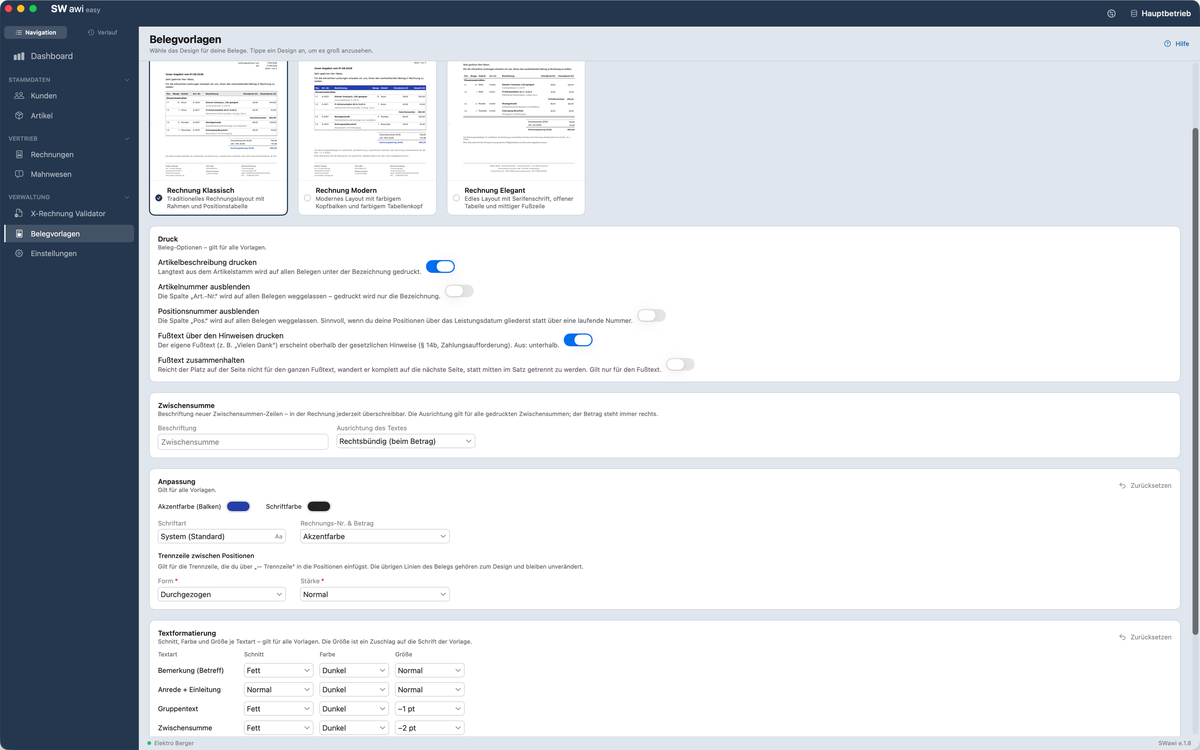
- Three document designs: Classic, Modern, Elegant
- Accent colour, text colour and weight per type of text
- Every font installed on your Mac can be used
- Separator lines adjustable in style and weight
- Your own logo, cover text and document footer
- Header and footer text adjustable per invoice
- Keep the footer together – no break in the middle of a sentence
- A subject line to DIN 5008 above the salutation
- Salutation with academic title: “Dear Dr Klein,”
- Payment request with amount, deadline and invoice number
- Invoice notices switched on and off individually
- Giro code and PayPal code to scan
- Swiss QR-bill with payment part and receipt
- Documents in English, the language stored per customer
- A date column, the overall period in the header
- The column reads “Service” for service-only invoices
- XRechnung and ZUGFeRD to EN 16931
- Passes the official check in the validator
- Validator for incoming invoices and ZUGFeRD PDFs
- ebInterface 6.1 including OrderReference for B2G
- The service period in full in the XML
- Official unit codes for every unit of measure
- Small business rules § 19 UStG (DE) and § 6 UStG (AT)
- German, Austrian and Swiss VAT rates
- CHF as currency with Swiss VAT rates
- Tamper-proof invoice corrections, GoBD-compliant
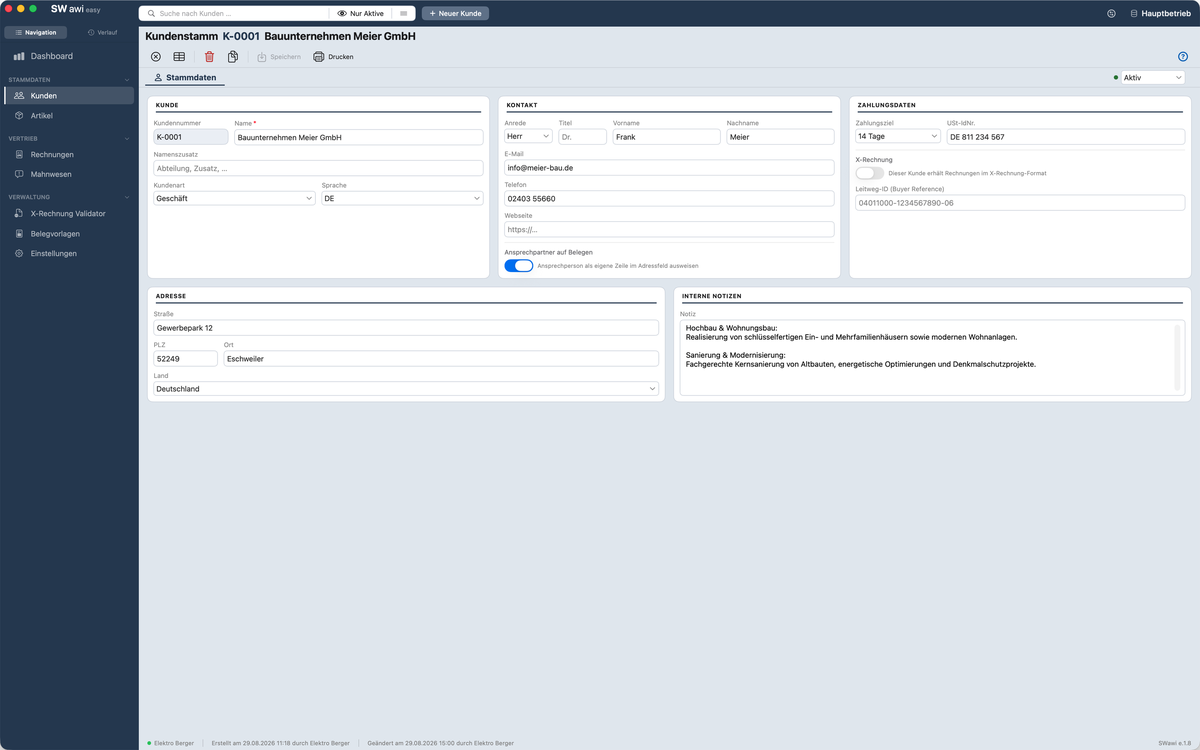
- Customer type business, authority or private
- Language per customer
- A “Title” field for academic degrees
- Separate billing and delivery addresses
- Payment terms per customer
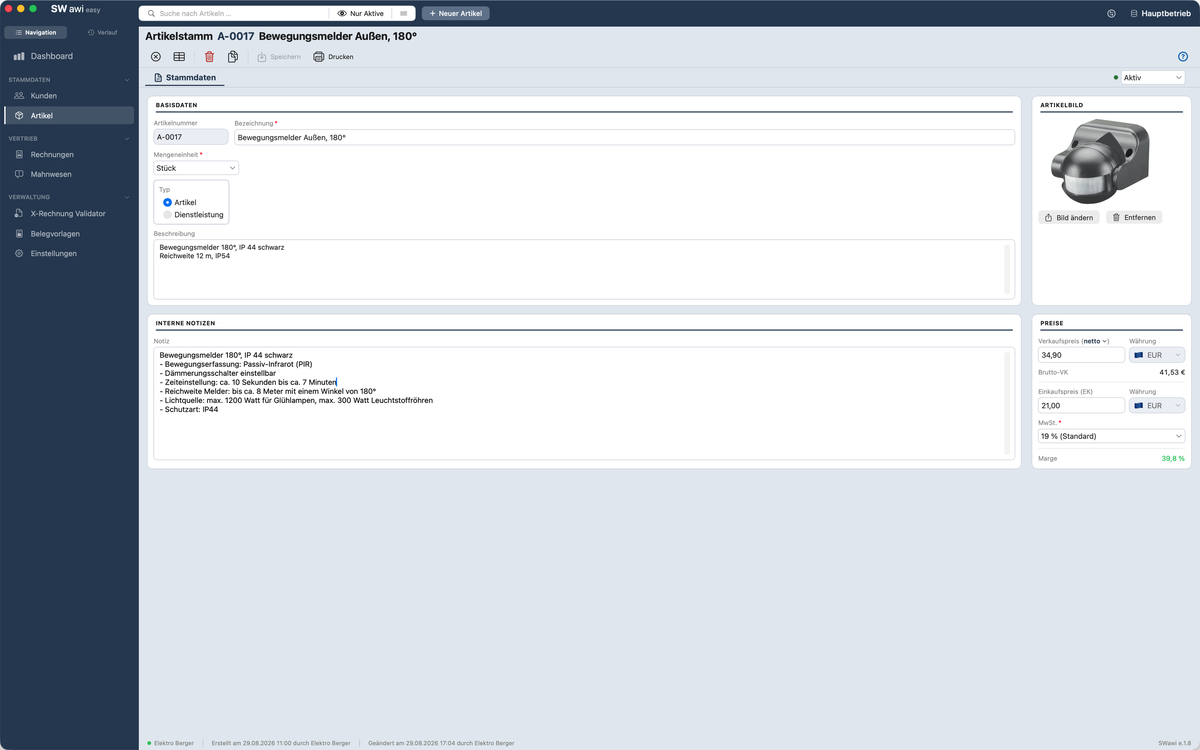
- Internal notes on products, never printed
- CSV import and export, plus import from Mac Contacts
- Printable lists and single sheets
- Name the contact person, or address the company alone
- Dashboard with revenue, outstanding, overdue and top customers
- The tiles open the matching filtered list with a click
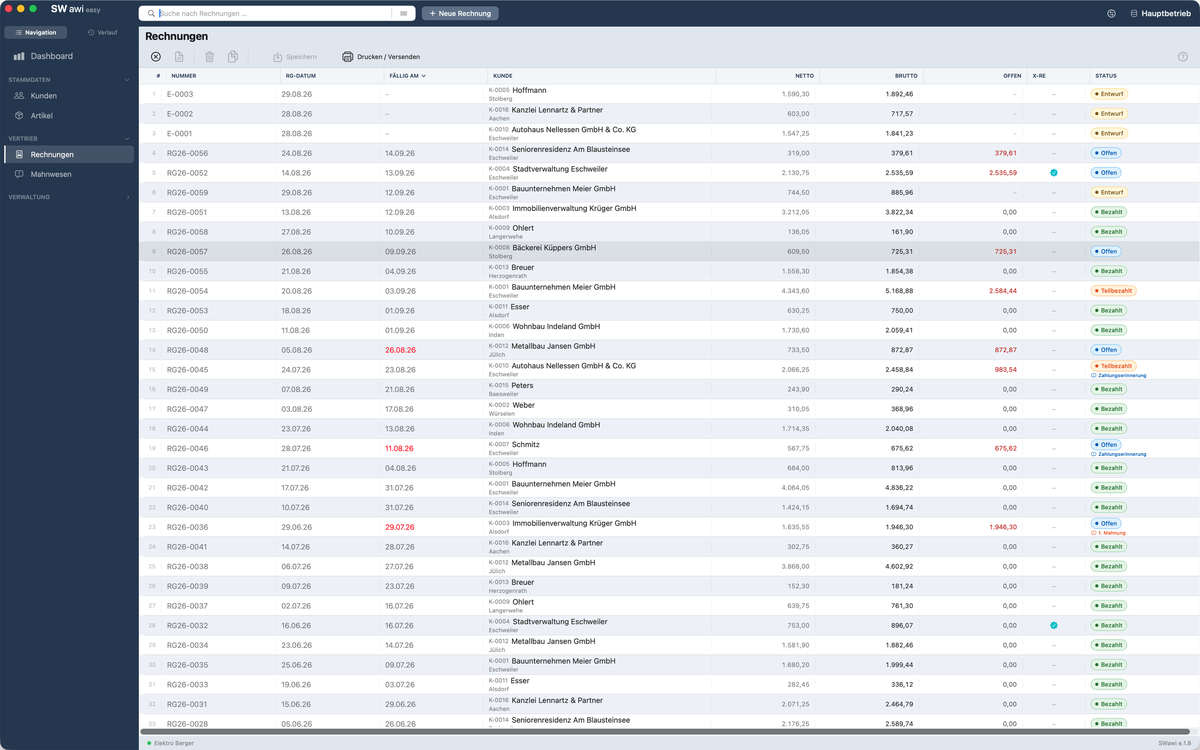
- Record partial payments, the remaining balance always visible
- Four-stage dunning, each level with its own fee and deadline
- Partial credit notes: line items, part quantities, lump sum
- A lump-sum credit note gross or on the open balance
- Freely configurable number ranges
- Several databases, switched with a click
- Your own logo per database
- Daily backups, to two locations if you wish
- Restore a backup at the press of a button
- An automatic backup before every update
- Work on two Macs through a shared folder
- Dark mode, follows your macOS appearance
- History in the sidebar
- Help window with context help and “What’s new”
- Interface in German, English and French
- Font size steplessly from 80 to 150 per cent
- The covering email in the customer’s language
- The counter restarts yearly, monthly or daily
- Two letterheads with their own name and bank account
- Help fully in English and French
Updates are free. What arrived in which version is in the release history.
This is what it looks like
A native macOS interface, not a browser window with a frame around it.

Dashboard – revenue, outstanding items, overdue invoices. Every tile opens the matching list.
From empty to finished invoice, uncut
Not a marketing promise: setup and the first invoice with real data, recorded in one take.
Commentary in German.
€34.99
One-time · no subscription · free updates
Sold in the German, Austrian and Swiss App Store. Customers in Switzerland pay in CHF at Apple’s local price.
- Try 10 invoices free of charge
- Unlimited customers and products
- XRechnung, ZUGFeRD, ebInterface, QR-bill
- Three document designs with your own logo
- Four-stage dunning process
- Dashboard and statistics
- Tamper-proof records with automatic backups
- Partial payments, partial credits, corrections
Support included. By email for the current version, in German or English, usually answered within 48 hours on business days.
Questions that come up before buying
Do I really need XRechnung?
Since January 2025 businesses in Germany must be able to receive electronic invoices, and from 2028 sending them becomes mandatory for everyone, without exception. SWawi easy already has XRechnung and ZUGFeRD built in, so you are prepared.
Why aren’t Word and Excel enough for invoices?
Invoices in Word or Excel can be altered at any time without leaving a trace. German GoBD rules, however, require that records cannot be changed, that every step remains traceable, and that documents are archived tamper-proof for ten years. SWawi easy meets this: once an invoice has been issued it is archived and can no longer be edited.
How safe is my data?
Your data belongs to you and stays with you. SWawi easy keeps everything locally on your Mac – no cloud upload, no server, no account. Even if our website went offline tomorrow, your app would keep working exactly as before. On top of that, SWawi creates automatic backups so nothing gets lost.
What happens after the 10 trial invoices?
All your data is kept – customers, products, everything. You simply unlock the app with a one-time purchase and carry on where you left off. Nothing is lost, nothing starts over.
Does SWawi easy make me GoBD-compliant automatically?
SWawi easy handles the technical side: once issued, invoices are stored unalterably, with automatic backups and logging. Full GoBD compliance also requires your own process documentation – a document describing your workflow. That is independent of the software and applies to every invoicing program.
Which macOS versions are supported?
SWawi easy runs on macOS 14 Sonoma, macOS 15 Sequoia and later releases.
Is SWawi easy available as a subscription?
No, and that is deliberate. The app runs locally and needs no server, so charging a recurring fee would not be honest. Buy once, use it for good.
What about partial payments?
You can record incoming payments individually and see the outstanding balance at any time. Entry is manual – there is no bank connection, but you stay in full control.
Does SWawi easy work in Austria?
Yes. Since version 1.1 SWawi easy supports Austrian ebInterface 6.1 (the mandatory format for invoices to federal bodies), the Austrian VAT rates (20 / 13 / 10 / 0 %) including the special 19 % rate for Jungholz and Mittelberg, and the small-business exemption under § 6 UStG (AT).
Can I use SWawi easy in Switzerland?
Yes. Since version 1.5 SWawi easy produces QR-bills to the SIX Group standard with payment part and receipt, bills in Swiss francs, and knows the VAT rates 8.1 / 3.8 / 2.6 / 0 % as well as the note on VAT exemption under Art. 10 para. 2 MWSTG for annual turnover below CHF 100'000.
Ten invoices to find out
Every feature unlocked, no credit card, no account. If it fits, you unlock it – if not, you have lost nothing.